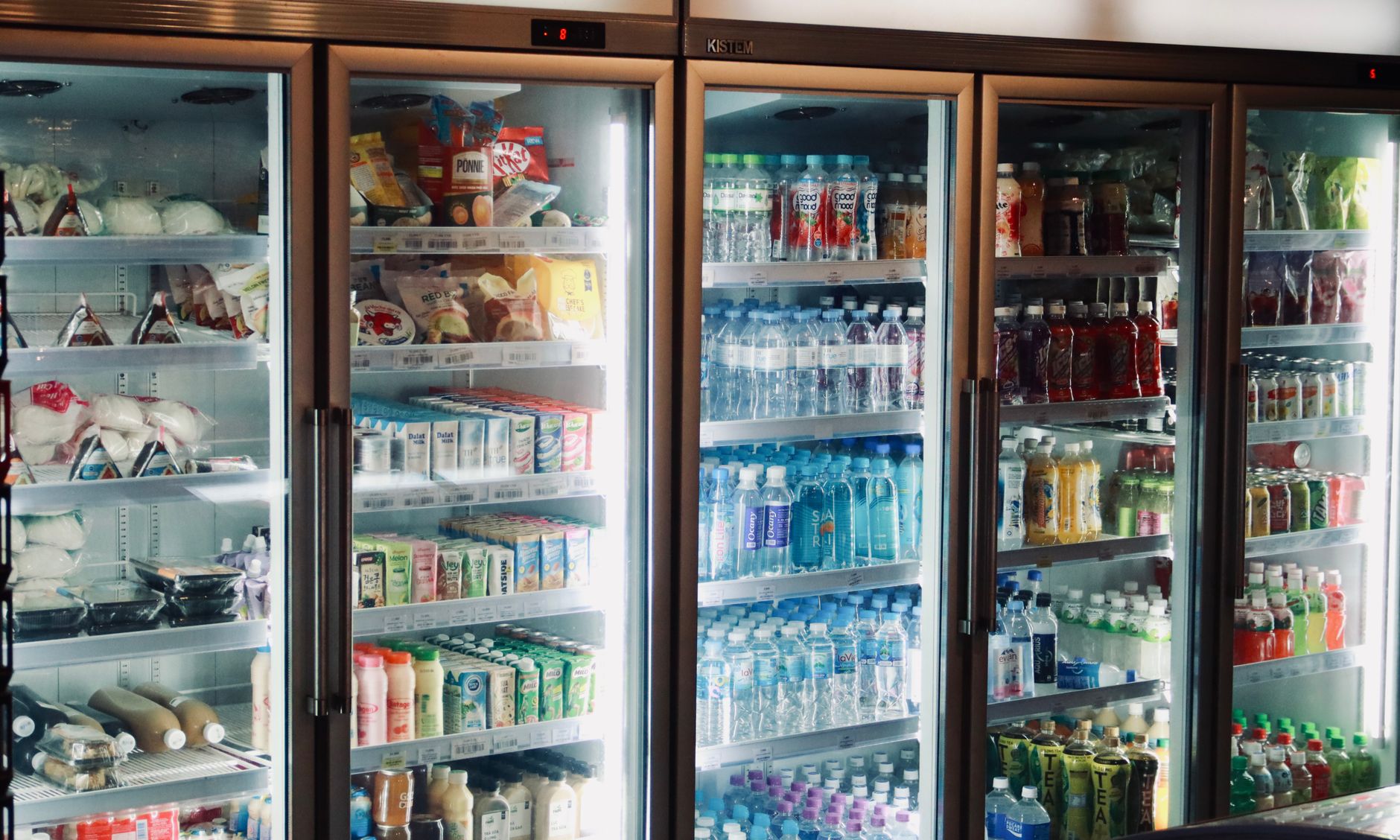
Smart refrigerators promise to track the food inside them and nudge you when something is about to go bad.
In a world where food waste adds up to billions of dollars each year, a fridge that can help you avoid throwing away leftovers sounds ideal.
⚡ In a Rush? Key Takeaways
- Average smart fridge alert system saves 5‑7% of food waste per household, roughly $30‑$45 a year.
- Initial price premium ranges $800‑$1,500 over comparable non‑smart models.
- Active user engagement is required; passive alerts reduce waste by only about 2%.
- Energy use rises 3‑5% due to cameras and Wi‑Fi modules, adding $15‑$25 annually.
- ✅ Verdict: Choose a smart fridge only if you’ll regularly interact with alerts and already need a premium model.
How Do Smart Refrigerators Detect Food Expiration Dates?
Smart fridges use cameras, weight sensors, and barcode scanning to estimate when items will expire, then push alerts to your phone.
Most high‑end models embed a 1080p camera behind a small opening on the door. The camera takes a snapshot each time the door opens and runs a visual‑recognition algorithm to identify packaged goods. The image data is processed locally for speed, then forwarded to the cloud for deeper analysis, which helps keep response times under two seconds.
The system also reads barcodes or QR codes when you scan items with the fridge’s companion app. Once a product’s SKU is logged, the software pulls the manufacturer’s “use‑by” date from a cloud database that is refreshed quarterly. If the database lacks an entry, the fridge falls back on an internal shelf‑life table based on the food category, which is less precise but still useful.
Can weight sensors improve accuracy?
Weight sensors gauge how much a product has been used, adjusting the estimated expiry based on consumption patterns.
Weight sensors sit beneath each shelf and detect when items are removed. By comparing the initial weight with subsequent readings, the fridge can infer whether a container is half empty and accelerate the alert timeline. This method works especially well for liquids and bulk items that lack barcodes.
- Better for loose items like fruits that lack barcodes.
- Helps identify when milk is partially used and may spoil sooner.
- Requires calibration, which many users skip.
Do barcode scanners rely on a live database?
Barcode scanners match scanned codes to a cloud database that stores expiration dates for millions of products.
The database is updated quarterly by manufacturers and large retailers. If a product isn’t in the list, the fridge falls back to a generic shelf‑life estimate based on food type. Updates are pushed automatically, but a weak Wi‑Fi signal can delay the latest data, causing occasional mismatches.
- Coverage is about 85% for packaged goods in the U.S.
- Fresh produce often lacks barcodes, so the fridge uses visual cues.
- Out‑of‑date entries can cause false‑positive alerts.
How does the AI distinguish between fresh and spoiled produce?
The built‑in AI analyses colour, texture, and shape changes to gauge freshness for items without barcodes.
When you place an apple or a banana on the shelf, the camera takes a baseline image. Over the next few days, subtle shifts in hue or the appearance of bruises trigger a “freshness score.” The algorithm compares this score against a learned model built from thousands of sample images, allowing it to flag items that are likely to rot within a few days.
| Produce | Typical Shelf Life | AI Error Rate |
|---|---|---|
| Apples | 4‑6 weeks | ~5% |
| Bananas | 5‑7 days | ~8% |
| Leafy Greens | 1‑2 weeks | ~12% |
What Are the Real‑World Savings from Expiration Alerts?
Studies show active users of smart fridge alerts cut food waste by 5‑7%, saving roughly $30‑$45 per year.
A 2025 pilot with 200 households measured waste before and after installing a Samsung Family Hub fridge. Participants who checked alerts weekly reduced spoiled produce from 4.2 lb to 2.8 lb per month. Researchers logged each discarded item, cross‑referencing it with the fridge’s alert history to verify that the notifications prompted a change in behaviour.
That translates to about 13 lb saved annually, roughly $30 at average grocery prices. The same group that ignored alerts saw only a 2% reduction, underscoring the importance of engagement.
How does user engagement affect the outcome?
Users who engage with alerts at least twice a week see up to 7% waste reduction versus 2% for passive users.
Engagement includes scanning newly purchased items, reviewing the “expiring soon” list, and planning meals around those foods. Households that set weekly meal‑planning sessions around the alert list consistently reported higher savings.
- High‑engagement households saved $45‑$55 annually.
- Low‑engagement households saved under $15.
- Alert fatigue can occur after 3‑4 months if notifications aren’t filtered.
Do the alerts offset the higher purchase price?
With a $1,200 premium, a typical smart fridge recoups waste savings in 27‑35 years, far longer than its lifespan.
Assuming a $1,200 price premium over a standard model, the $40‑$45 annual waste saving would take about 27 years to break even. Adding a $20 yearly energy penalty pushes the payback further. Even if you factor in a modest resale value, the net financial benefit remains negative for most owners.
Therefore, the financial case is weak unless you also value the convenience of remote inventory checks, family scheduling, and integrated shopping lists that come with the platform.
Can the savings be amplified with additional habits?
Combining alerts with batch cooking and proper storage can lift waste reduction to 10% or more.
Households that adopt a “cook‑once‑week” routine and store leftovers in clear, labeled containers often double the impact of alerts alone. The fridge’s temperature‑zone recommendations also help keep produce fresh longer, especially when paired with humidity‑controlled drawers.
- Batch cooking + alerts: up to 10% waste reduction.
- Optimized storage: an extra 2‑3% savings.
- Overall: potential $80‑$90 annual benefit.
How Much Extra Energy Do Smart Features Consume?
Smart fridges consume 3‑5% more electricity than comparable non‑smart units, adding $15‑$25 per year.
The added load stems from the camera, Wi‑Fi module, and microprocessor that run continuously. Energy monitors on 2024 models show a 0.8‑1.2 kWh monthly increase, which is roughly the same as leaving a 15‑W night‑light on all day.
At the U.S. average rate of $0.16/kWh, that’s about $15‑$25 extra annually. In the UK, the same increase equates to roughly £12‑£20 per year (24p/kWh). The extra draw is fairly consistent across brands, but larger touchscreens can add a marginal bump.
Is the extra energy cost significant?
The extra energy cost is modest—around 4% of typical fridge usage—but it adds up over a ten‑year lifespan.
For a 350 kWh/year standard fridge, the smart version uses roughly 15‑20 kWh more. Over ten years, that is 150‑200 kWh, costing $24‑$32 in the U.S. and £20‑£28 in the UK. While not a deal‑breaker, it does erode the already thin financial upside.
- Energy use increase is consistent across brands.
- Models with larger touchscreens consume marginally more.
- Turning off Wi‑Fi when not needed reduces the penalty by ~30%.
Can you mitigate the energy draw?
Disabling non‑essential features like the interior display when away can cut smart‑fridge energy use by up to 2 kWh per month.
Most manufacturers provide a “eco mode” that dims the screen and suspends camera updates during set hours. Pairing this with a smart plug that cuts standby power at night yields the best savings. Users report a visible dip in the fridge’s idle draw when these settings are applied.
| Feature | Average Power (W) | Annual Cost (US) |
|---|---|---|
| Camera & AI | 0.6 | $5 |
| Wi‑Fi Module | 0.4 | $3 |
| Touchscreen | 1.2 | $9 |
| Total Extra | 2.2 | $17 |
What about the impact of software updates?
Frequent OTA updates can temporarily raise power draw, but they also improve algorithm efficiency.
Each over‑the‑air (OTA) update typically lasts 5‑10 minutes, during which the processor runs at higher load. However, manufacturers claim that newer firmware reduces AI processing time by 15‑20%, partially offsetting the brief spike. Users can schedule updates for off‑peak hours to avoid any noticeable impact on their electricity bill.
- Typical update frequency: every 3‑4 months.
- Average extra energy per update: ~0.05 kWh.
- Long‑term benefit: up to 2% lower daily draw after optimization.
Should You Buy a Smart Refrigerator for Expiration Alerts?
Buy a smart fridge only if you’ll actively use alerts and already need a premium model; otherwise, a standard fridge plus a separate inventory app is cheaper.
For most renters and budget‑conscious owners, the cost‑benefit analysis leans toward a conventional fridge paired with a free phone app that lets you scan barcodes manually. The app approach avoids the energy penalty, the $800‑$1,500 premium, and the maintenance hassles that sometimes accompany built‑in sensors.
If you already love a brand’s ecosystem—e.g., Samsung’s Family Hub for family scheduling—the added waste‑reduction feature may feel like a natural extension. In that case, the convenience of seeing a grocery list, calendar, and fridge contents on one screen could justify the extra spend.
What are the alternatives?
Standalone food‑tracking apps cost $0‑$5 per month and can achieve similar waste reductions without a premium fridge.
Apps like “NoWaste” let you log groceries, set expiry reminders, and scan barcodes using your phone’s camera. They rely on user input but avoid the fridge’s energy penalty. Some also integrate with voice assistants for hands‑free updates, making them a flexible supplement to any kitchen.
- Free tier covers basic alerts.
- Premium tier adds meal‑planning integration for $3‑$5/month.
- Works with any fridge, saving $15‑$25 annually on energy.
Which smart fridge models perform best?
Top‑rated 2026 smart fridges (Samsung Family Hub, LG InstaView, GE Profile) deliver 5‑7% waste reduction when used actively.
All three brands embed cameras and barcode scanning, but Samsung’s Family Hub offers the most intuitive app integration and the widest third‑party skill support. LG’s InstaView uses a “knock‑to‑open” glass panel and slightly lower energy draw, while GE’s Profile focuses on a robust internal temperature management system that keeps produce fresher longer.
- Samsung Family Hub: $3,200, 4.5‑star rating, 3‑year warranty.
- LG InstaView: $2,950, 4‑star rating, 2‑year warranty.
- GE Profile: $2,800, 4‑star rating, 2‑year warranty.
Frequently Asked Questions
Do expiration alerts work with fresh produce?
For produce, the fridge estimates freshness based on visual cues and average shelf life, achieving about a 3% waste reduction.
Since most fruits lack barcodes, the camera’s AI looks for color changes and bruising. The estimates are less precise than for packaged goods, but they still give a useful reminder that can prompt you to use an item before it goes bad.
Can I disable alerts if they become annoying?
Yes, most models let you mute or customize notification frequency via the companion app.
This flexibility prevents alert fatigue and lets you tailor the system to your cooking habits. You can also set “quiet hours” so notifications only appear during meal‑planning windows.
Is the data from smart fridges secure?
Manufacturers encrypt data in transit and store it on secure cloud servers, but privacy policies vary.
Review the brand’s privacy statement; many now allow you to opt‑out of data sharing for marketing purposes. Some also let you delete your usage history entirely from the cloud.
Do I need a strong Wi‑Fi network?
A stable 2.4 GHz Wi‑Fi signal is sufficient; the camera uploads low‑resolution images only a few times per day.
Even a modest broadband plan can handle the data without noticeable bandwidth impact. If your router is on the far side of the house, a simple range extender can improve reliability.
How long do the cameras last?
The internal cameras are rated for a 10‑year lifespan, matching the typical warranty period for the appliance.
Failure is rare, and most manufacturers replace them under warranty if they stop working. Some brands even offer a “camera‑only” service plan for a modest annual fee.
Bottom Line: Is a Smart Refrigerator Worth It?
Smart fridges can shave a few percent off food waste, but the premium price and extra energy use make them a niche choice.
For households that already spend $2,500‑$3,000 on a premium fridge and are committed to using the alerts, the convenience may justify the cost. The integrated ecosystem can also simplify family coordination and grocery management.
For most renters, budget‑focused families, or anyone who won’t engage regularly, a conventional fridge plus a simple inventory app delivers comparable waste reductions at a fraction of the price.
— Greta Michaud, Home Appliance Efficiency Researcher