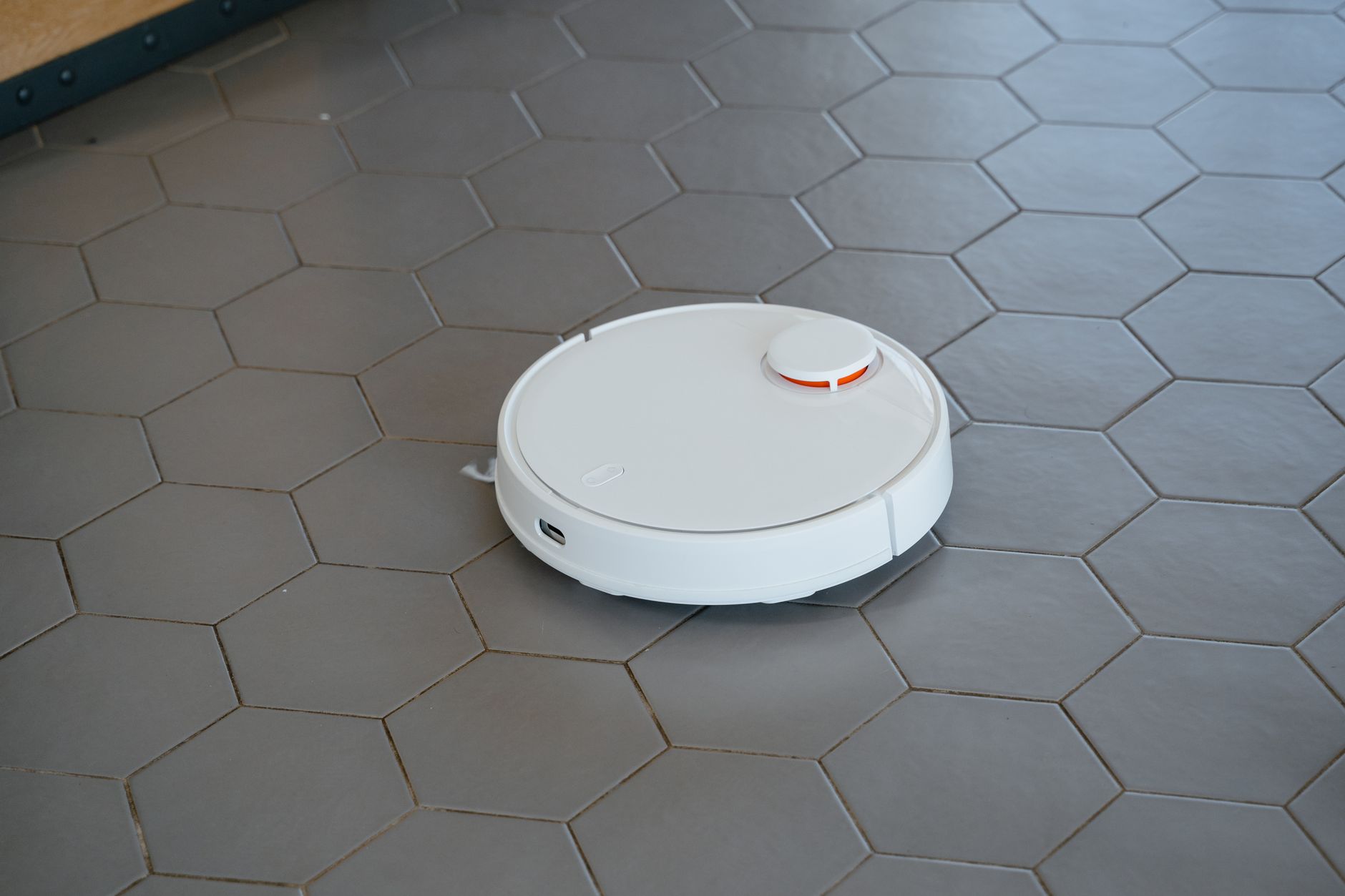
Robot vacuums have moved from novelty gadgets to practical helpers for many households. Choosing the right model can shave hours off cleaning and lower your electricity bill, especially when you factor in the hidden costs of electricity, maintenance, and premature replacement.
⚡ In a Rush? Key Takeaways
- Typical robot vacuums draw 30–70 W, costing $5‑$12 per year to run on a US average rate.
- Models with LiDAR navigation clean 20‑30 % faster than basic infrared units.
- Auto‑empty bins save up to 10 minutes per cleaning cycle, reducing total run time.
- Multi‑floor mapping cuts repeat passes by 15 % on carpeted homes.
- ✅ Verdict: Choose a LiDAR‑equipped robot with an auto‑empty base and a runtime of at least 120 minutes for the best value.
How Do I Evaluate the True Running Cost of a Robot Vacuum?
Running cost equals watts used multiplied by hours per week and local electricity price; most robots cost $5‑$12 per year in the US.
Energy consumption is measured in watts (W). A typical unit runs at 30‑70 W while vacuuming, but standby draw can add another 2‑5 W. To calculate annual cost, multiply average weekly run‑time by the wattage, convert to kilowatt‑hours and apply your utility’s rate (about $0.16/kWh in 2026). For most households, the extra standby draw represents less than 5 % of total electricity use, but it can add up over years if you’re not mindful.
| Mode | Power (W) | Annual Cost (US$) |
|---|---|---|
| Eco | 30‑45 | $4‑$7 |
| Standard | 45‑55 | $6‑$9 |
| Max | 60‑70 | $9‑$12 |
What Power Levels Do Modern Robots Offer and Which Is Most Efficient?
Most robots provide Eco, Standard and Max modes; Eco uses 30‑45 W and cuts energy use by up to 30 % versus Max.
Eco mode reduces suction power just enough for hard floors while still picking up fine dust. On carpet, Standard mode (45‑55 W) usually offers the best balance between cleaning thoroughness and electricity use. Max mode (60‑70 W) is reserved for deep‑cleaning sessions and should be used sparingly to keep energy use low.
- Eco: 30‑45 W, ideal for daily maintenance on hardwood, tile and low‑pile carpet.
- Standard: 45‑55 W, best for mixed floor plans where occasional carpet cleaning is needed.
- Max: 60‑70 W, for weekly intensive cleans on high‑pile rugs or heavily soiled areas.
How Does Battery Runtime Influence Yearly Electricity Use?
Longer battery life means fewer charging cycles; a 120‑minute runtime typically results in $6‑$9 annual electricity cost.
Robots that can clean for 120 minutes or more on a single charge often need only one charge per week in an average 2,000‑sq‑ft home. Shorter‑run models may need two charges, increasing both electricity use and wear on the battery. Because charging efficiency is highest when the battery is near empty, a model that consistently finishes a cleaning run with a 20 % reserve can shave a few cents off the annual bill.
When comparing models, look for advertised runtimes at Standard mode on carpet, as this reflects realistic performance. A 90‑minute claim measured at Eco mode will usually be higher in practice, so always verify through third‑party reviews or user feedback.
Do Smart Features Add Significant Energy Overheads?
Wi‑Fi, mapping and voice‑assistant integration add 0.5‑1 W idle draw, increasing annual cost by less than $1.
Most smart features stay in low‑power standby mode when the robot isn’t cleaning. The extra cost is negligible compared to the convenience of remote scheduling, map‑based cleaning, and integration with Alexa or Google Assistant. If you enable continuous “home presence” alerts, the idle draw may edge toward the higher end of the range, but even then it remains a fraction of a cent per day.
Which Navigation Technologies Actually Reduce Cleaning Time?
LiDAR and visual SLAM provide precise room maps, cutting cleaning time by 20‑30 % compared with simple random‑bounce robots.
Navigation determines how efficiently a robot covers a floor. Early models used random bounce patterns, often missing spots and retracing paths. Modern units employ laser‑based LiDAR or camera‑based visual SLAM to build detailed maps, plan optimal routes and avoid obstacles, which translates directly into lower electricity use because the robot spends less time moving.
What Are the Benefits of LiDAR Over Infrared Sensors?
LiDAR creates a 360° map, allowing robots to clean in straight lines and reduce overlap by up to 30 %.
LiDAR projects a laser grid that measures distance to walls and furniture. The resulting map lets the robot travel in systematic rows, similar to a human vacuum. Infrared sensors can be confused by dark fabrics or glare, leading to more redundant passes, slightly higher power draw and longer cleaning cycles.
| Technology | Typical Accuracy | Clean‑time Reduction |
|---|---|---|
| LiDAR | ±1 cm | 20‑30 % |
| Visual SLAM | ±2 cm | 15‑25 % |
| Infrared | ±5 cm | 5‑10 % |
How Does Multi‑Floor Mapping Save Energy?
Robots that store separate maps for each floor avoid re‑scanning, reducing overall runtime by about 15 %.
When a robot learns a floor’s layout, it saves the map to internal memory. Switching between floors later uses the saved data, eliminating the need for a full scan each time. This is especially valuable in homes with carpeted basements or upstairs bedrooms where floor type changes frequently.
- Single‑floor map: full scan each cleaning.
- Multi‑floor map: scan once per floor, then reuse.
- Result: up to 15 % less runtime and energy.
Can Virtual No‑Go Zones Reduce Power Use?
Defining no‑go zones prevents robots from repeatedly attempting to clean high‑traffic obstacles, trimming runtime by 5‑10 %.
Many newer models let you draw virtual barriers on the companion app. By excluding areas like shoe racks, pet feeding stations, or cluttered entryways, the robot avoids wasted passes and the extra motor load that comes with repeated obstacle detection. The saved energy is modest per session but adds up over months, especially in busy households.
How Does Obstacle Detection Frequency Affect Battery Drain?
Frequent sensor polling (every 0.2 s) marginally raises power draw; models that poll every 0.5 s use ~3 % less electricity without compromising safety.
Robots constantly ping their lidar or camera to detect obstacles. Higher polling rates improve navigation smoothness but increase processor activity. Some manufacturers offer a “quiet” mode that slows sensor checks, yielding a small energy saving while still preventing collisions. It’s a worthwhile trade‑off for homes where speed is less critical than efficiency.
What Maintenance Factors Influence Long‑Term Cost and Performance?
Regular brush, filter and bin cleaning keeps suction at 90 % of peak and prevents costly motor wear.
Even the most efficient robot can lose performance if its brushes, filters or dust bin become clogged. Maintenance items have a small recurring cost but protect the larger expense of a premature replacement. Neglecting these chores can raise power draw by up to 15 % and shorten motor life, leading to an earlier—and more expensive—battery swap.
How Often Should I Clean the Main Brush and Side‑Brush?
Main brushes need cleaning after every 10‑15 runs; side‑brushes every 5‑8 runs to maintain optimal suction.
The main brush agitates debris, while the side‑brush sweeps edges. Hair and fibers quickly build up, especially in pet‑friendly homes. A quick tap‑out and occasional hand‑wash keeps the brush operating at full efficiency. For homes with long hair, a weekly deep clean is advisable.
- Inspect main brush after each week of use.
- Remove tangled hair with scissors or a dedicated brush tool.
- Rinse side‑brushes under warm water, then dry fully before reinstalling.
When Is It Worth Replacing the Filter?
HEPA‑style filters should be swapped every 3‑6 months; cheap foam filters last 12‑18 months.
Filters trap fine dust that can otherwise damage the motor. A clogged filter increases power draw by up to 15 % and can shorten motor life. Many models provide filter‑life alerts via the companion app, but a visual check every month is a good habit, especially in homes with carpet or pets.
Does an Auto‑Empty Base Reduce Overall Running Costs?
Auto‑empty bases cut manual emptying time by 10 minutes per week and lower battery wear.
Robots that empty into a larger bin once the internal container fills lessen the frequency of docking cycles. Fewer dockings mean fewer charge‑discharge cycles, extending battery lifespan and saving on eventual replacement costs. For homes with pets or high‑traffic areas, an auto‑empty base can also improve hygiene by containing dust within a sealed bag.
How Often Should the Battery Be Calibrated?
Full‑charge calibration once every 30‑45 cycles restores 5‑10 % runtime and can delay a replacement by up to a year.
Over time, the robot’s battery management system may lose track of the true capacity. Running a full charge‑to‑empty cycle (allowing the robot to deplete to the low‑battery warning) and then recharging to 100 % recalibrates the system. Doing this once a month keeps reported runtime accurate and avoids unnecessary early battery swaps.
FAQ
How Much Electricity Does a Robot Vacuum Use per Week?
A 45 W robot run for 2 hours weekly consumes about 0.09 kWh, costing roughly $0.01–$0.02 per week.
Are Robot Vacuums Worth It for Carpeted Homes?
Yes, if the model has at least 120 minute runtime and LiDAR navigation; it cleans carpet 20‑30 % faster than random‑bounce units.
Can I Use a Robot Vacuum on Hardwood Without Scratches?
Soft‑rubbed brush rolls and low‑suction Eco mode protect hardwood; most modern robots are safe for all flooring types.
Do I Need a Separate Charging Dock for Multi‑Floor Homes?
A single dock placed on the main floor works if the robot can map and return automatically; otherwise a second dock can reduce travel time.
What Is the Typical Replacement Cost for a Robot Vacuum Battery?
Battery packs cost $70‑$130 and last 2‑3 years with regular charging cycles, representing a modest fraction of total ownership cost.
— Greta Michaud, Home Appliance Efficiency Researcher