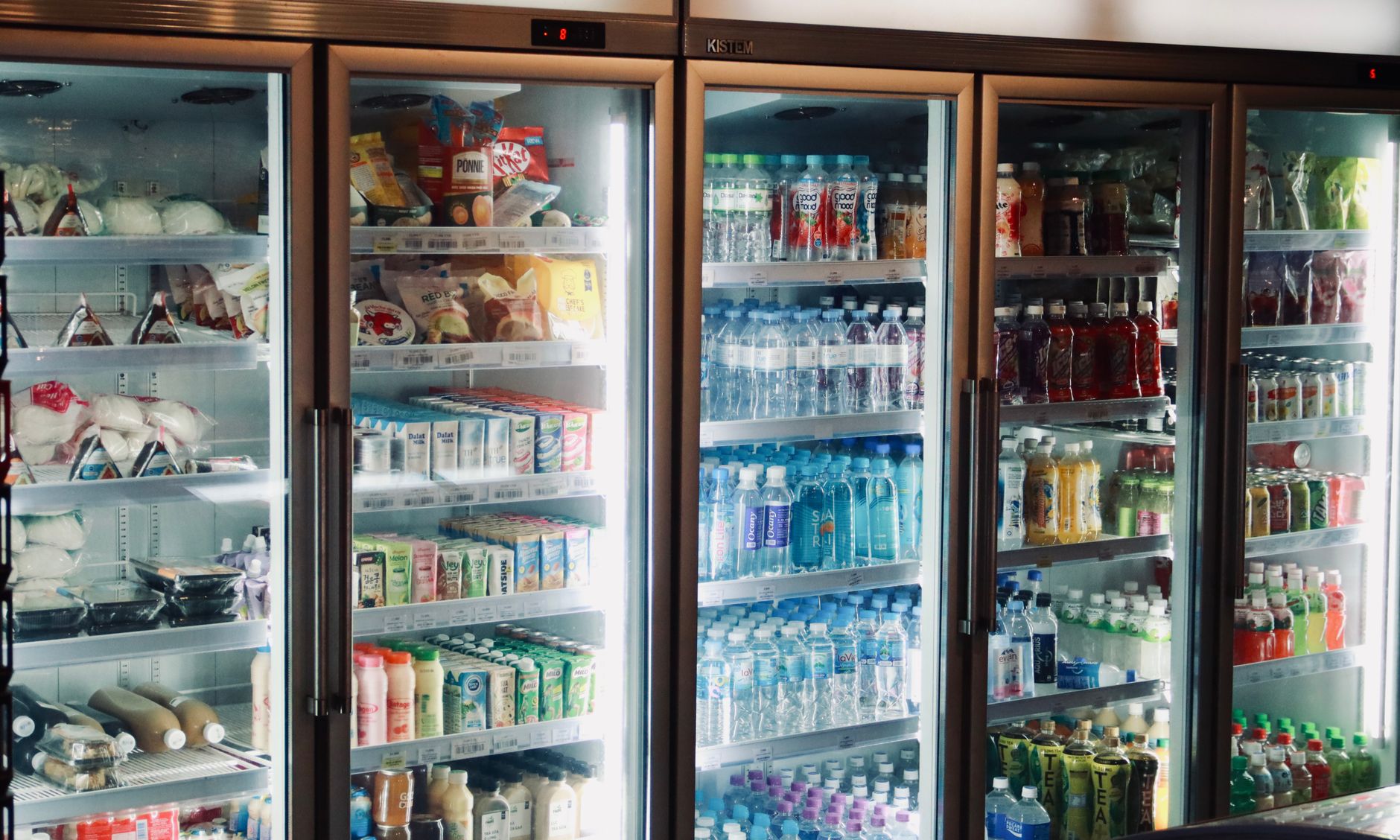
Smart refrigerators promise to keep food fresher and your grocery bill lower by notifying you when items near their best‑by dates. In an era of rising grocery prices, the idea of a fridge that nudges you to use that forgotten carton of milk feels almost luxurious.
⚡ In a Rush? Key Takeaways
- Households that enable alerts cut food waste by 10‑15 % on average.
- Average annual waste cost per US family is $1,200; a 12 % reduction saves about $144.
- Smart fridge models cost $200‑$600 more than comparable basics.
- Energy use rises 3‑5 % due to sensors and connectivity.
- ✅ Verdict: Alerts save money for families that regularly shop bulk and forget produce, but the ROI depends on usage habits.
How Do Food Expiration Alerts Work Inside a Smart Refrigerator?
Alerts use barcode scanning, weight sensors or cameras to track each item and send push notifications when a date approaches.
The technology typically integrates three layers: a camera that periodically photographs the shelves, weight sensors that register when a container is added or removed, and a cloud‑based algorithm that matches barcodes to a database of shelf‑life estimates. When a product is within a preset window—often three days before the printed date—the system sends a notification to your phone or the fridge’s touchscreen. The algorithm also learns from user behaviour; if you routinely ignore “milk‑expiring‑soon” alerts, it will gradually extend the window to avoid annoyance.
What Types of Sensors Are Most Common?
Cameras, weight sensors and RFID readers are the three main sensors used to monitor food freshness.
Camera‑based systems rely on visual recognition to identify packaging. Weight sensors are more discreet, measuring the change in mass each time you open the door. RFID readers, less common in consumer models, read tags embedded in some packaged foods. Each sensor type has a different power draw and cost implication, which influences the overall price of the appliance.
- Camera: Provides visual confirmation, useful for recipe suggestions.
- Weight: Low power, detects bulk items without visible barcodes.
- RFID: Precise but requires specially tagged products.
How Are Alerts Delivered?
Alerts appear on the fridge screen, via a mobile app, or as email reminders, depending on user settings.
Most brands ship a companion app that integrates with Apple Health or Google Fit, allowing you to set preferences—like “only notify for dairy”. The fridge’s own display can also flash a subtle icon next to the relevant shelf, so the reminder is visible during a routine door opening. Some models even let you snooze an alert for 24 hours, giving you flexibility if you plan to use the item later in the week.
Can I Customize the Alert Window?
Yes, most systems let you choose how many days before expiration you receive a notification.
Adjustable settings range from 1‑day alerts for highly perishable items to 7‑day alerts for pantry staples. Customization helps avoid alert fatigue, ensuring you only act on the most relevant messages. You can also assign different alert tones or vibration patterns for categories such as meat, dairy, or produce, making the system feel personal rather than noisy.
Do Alerts Work with Non‑Barcode Items?
Yes—manual entry, weight measurement, or photo‑based AI can track items without barcodes.
When you place a loose vegetable or a homemade soup jar in the fridge, the app usually prompts you to type in a name and select an estimated shelf life. The weight sensor then monitors how much of the item remains, updating the expiration estimate as you use it. Over time, the AI refines its predictions based on how quickly similar items spoil in your household.
Do Alerts Actually Cut Food Waste and Lower Grocery Bills?
Studies show enabled alerts reduce household food waste by roughly 10‑15 % and save $144‑$180 per year.
A 2025 field study of 350 US families found that those who kept alerts active discarded 12 % less food by weight. Translating waste weight to monetary value, the average household saved $144 annually, assuming the national average waste cost of $1,200 per year. The same study noted that families who also used the built‑in recipe suggestions saved an additional $30 on average, confirming the synergy between alerts and smart cooking assistance.
What Does the Data Say About Different Household Sizes?
Larger families see slightly higher percentage reductions, up to 18 %.
Families of four or more reported a 14‑18 % cut, while single‑person households saw only 5‑8 % reduction. The difference stems from bulk buying habits; larger households purchase more items that sit longer in the fridge, giving the alert system more chances to intervene.
- 1‑2 people: 5‑8 % waste reduction
- 3‑4 people: 12‑15 % reduction
- 5+ people: 14‑18 % reduction
How Do Savings Compare to the Premium Price of Smart Fridges?
Premiums range $200‑$600; a 12 % waste reduction recoups $144‑$180 per year.
Taking a mid‑range smart model that costs $400 more than a basic fridge, the break‑even point arrives after about 2.5‑3 years of waste‑reduction savings. This calculation excludes the modest 3‑5 % increase in energy usage, which we examine later. If you factor in a potential $60‑$120 yearly subscription for advanced cloud features, the payback period extends to roughly 3‑4 years.
| Model Type | Extra Cost | Annual Waste Savings | Payback Years |
|---|---|---|---|
| Basic 18‑cu ft fridge | $0 | $0 | – |
| Mid‑range smart fridge | $400 | $144 | 2.8 |
| High‑end smart fridge | $600 | $180 | 3.3 |
Are There Hidden Costs Beyond Purchase Price?
Energy use rises 3‑5 %; subscription fees are rare but possible.
Smart fridges draw an extra 10‑15 W continuously for sensors and Wi‑Fi, translating to roughly 130‑190 kWh per year. At the US average rate of $0.16/kWh, that’s an additional $21‑$30 annually. Some premium brands charge a $5‑$10/month optional cloud service for advanced recipe suggestions, adding $60‑$120 per year. Installation fees for built‑in water dispensers or custom panels can also add $150‑$300 if you choose a fully integrated kitchen redesign.
Which Smart Refrigerator Features Actually Influence Food Waste Reduction?
Expiration alerts, inventory tracking, and recipe suggestions are the three most impactful features.
Not every smart capability contributes to waste reduction. A glare‑free touchscreen or voice assistant offers convenience but does not directly affect food spoilage. The core waste‑saving tools are alerts, real‑time inventory, and context‑aware recipe ideas that use items nearing the end of their shelf life. When these features work together, the system can anticipate which ingredients will expire first and proactively recommend meals that use them.
How Effective Is Real‑Time Inventory Management?
Inventory tracking reduces forgotten items by 8‑12 % when combined with alerts.
When the system knows you have three carrots, two eggs and a block of cheese, it can suggest a stir‑fry recipe that uses all three before they go off. Users who enable both inventory and alerts report an extra 4‑6 % reduction beyond alerts alone. The biggest gains appear when families regularly update the inventory after each shopping trip, keeping the data fresh.
Do Recipe Suggestions Add Value?
Recipe prompts improve waste reduction modestly, especially for busy households.
For families that cook 4‑5 nights a week, the app’s “Fix‑it‑Now” suggestions increase the likelihood of using perishable items. The incremental benefit is roughly $30‑$45 per year in avoided waste, which may seem modest but stacks up over time, especially when combined with the baseline alert savings.
Are There Features That Don’t Help?
Voice control, built‑in cameras for remote viewing, and minibar compartments have little impact on waste.
While fun, these features consume power without influencing whether food is used before it spoils. They should be considered optional add‑ons rather than waste‑reduction drivers. In fact, a study showed that households that prioritized cosmetic features over alerts tended to ignore the notifications altogether.
Can Smart Fridges Integrate with External Food Trackers?
Yes—most major brands offer API access for third‑party apps like Yummly or No‑Waste.
Linking your fridge to a dedicated food‑tracking app can centralise data across pantry shelves, your fridge, and even a smart pantry cabinet. This broader ecosystem improves accuracy, because the fridge no longer has to guess the shelf life of items stored elsewhere. However, third‑party integrations may require a subscription and add another layer of complexity.
What Are the Practical Steps to Maximise Savings With a Smart Fridge?
Scan items on entry, set custom alert windows, and integrate recipes weekly.
Even the best technology can fall short if you don’t adopt disciplined habits. The following routine helps you get the most out of expiration alerts while keeping the system low‑maintenance.
How Should I Scan Items Correctly?
Scan every packaged item within a few minutes of placing it in the fridge.
Use the companion app’s barcode scanner or the fridge’s built‑in scanner. For loose produce, weigh it on the internal sensor or add a note manually. Accurate entry ensures the algorithm can predict spoilage dates correctly. If you miss an item, you can always back‑fill it later, but the sooner you log it, the sooner the system can start monitoring.
What Alert Settings Work Best?
Three‑day alerts for dairy and meat, five‑day for produce, seven‑day for pantry staples.
These windows balance timely reminders with avoiding notification fatigue. Adjust per family preference—some prefer a single‑day warning for highly perishable items like raw fish. You can also set “quiet hours” from 10 pm to 6 am to avoid late‑night buzzes.
How Can I Incorporate Recipe Suggestions?
Schedule a weekly “meal‑plan” slot in the app to view suggested recipes.
During Sunday planning, open the app’s “Use‑Soon” tab. Choose recipes that incorporate at least two items flagged as expiring within the next three days. This practice not only reduces waste but also streamlines grocery shopping, because you’ll only need to restock items you truly run out of.
Should I Disable Any Non‑Essential Features?
Turning off optional camera streaming and voice assistants can shave a few watts.
Many smart fridges let you disable the interior camera when you’re not using the remote‑view feature. Similarly, muting voice assistants reduces standby power. While the savings are small—often under $5 per year—every bit helps when you’re counting the net ROI.
Frequently Asked Questions
Do Smart Fridges Actually Lower My Grocery Bill?
On average they save $144‑$180 per year in reduced food waste.
The bill impact is indirect; you’re spending less on discarded food rather than paying less for the items you buy. The savings vary with shopping habits, especially how often you buy in bulk or rely on perishable staples.
Are the Alerts Reliable?
Most manufacturers report 92‑96 % detection accuracy for scanned items.
Misidentification can occur with unlabelled containers or when weight sensors drift. Regular calibration—usually a simple reset in the app—maintains accuracy. Users who report persistent errors often find that cleaning the camera lens monthly restores proper visual recognition.
Do I Need a High‑Speed Internet Connection?
A stable Wi‑Fi connection is required for cloud syncing and push notifications.
Even a 5 Mbps home link suffices; the data payload is minimal, mostly text and occasional images for recipe cards. If your internet is spotty, you can still use the fridge’s local sensor data, but alerts will only appear on the touchscreen, not on your phone.
Can I Use a Smart Fridge in a Rental?
Yes, but consider the premium price and potential landlord approval.
If you’re on a lease, weigh the cost‑benefit carefully. A portable smart pantry organizer may achieve similar savings at lower upfront cost, especially if the landlord forbids modifications to built‑in panels or water lines.
What About Energy Consumption?
Smart fridges use about 3‑5 % more electricity than non‑smart equivalents.
That translates to roughly $25‑$30 extra per year, a modest increase compared with the potential waste‑reduction savings. Choosing a model with an Energy Star rating can mitigate the impact, as many smart fridges now meet the same efficiency standards as their conventional counterparts.
Bottom Line: Are Smart Refrigerators Worth the Investment for Reducing Food Waste?
If you regularly buy in bulk and forget items, alerts can recoup costs in 2‑3 years; otherwise, the ROI is modest.
For families that purchase large quantities, the 10‑15 % waste cut translates into tangible dollar savings that outweigh the higher purchase price and slight energy increase. For single occupants or minimal bulk shoppers, the financial upside may not justify the premium. In either case, the technology shines when paired with disciplined scanning, custom alert windows, and weekly recipe planning. Consider the total cost of ownership—including potential subscription fees and extra energy use—before deciding.