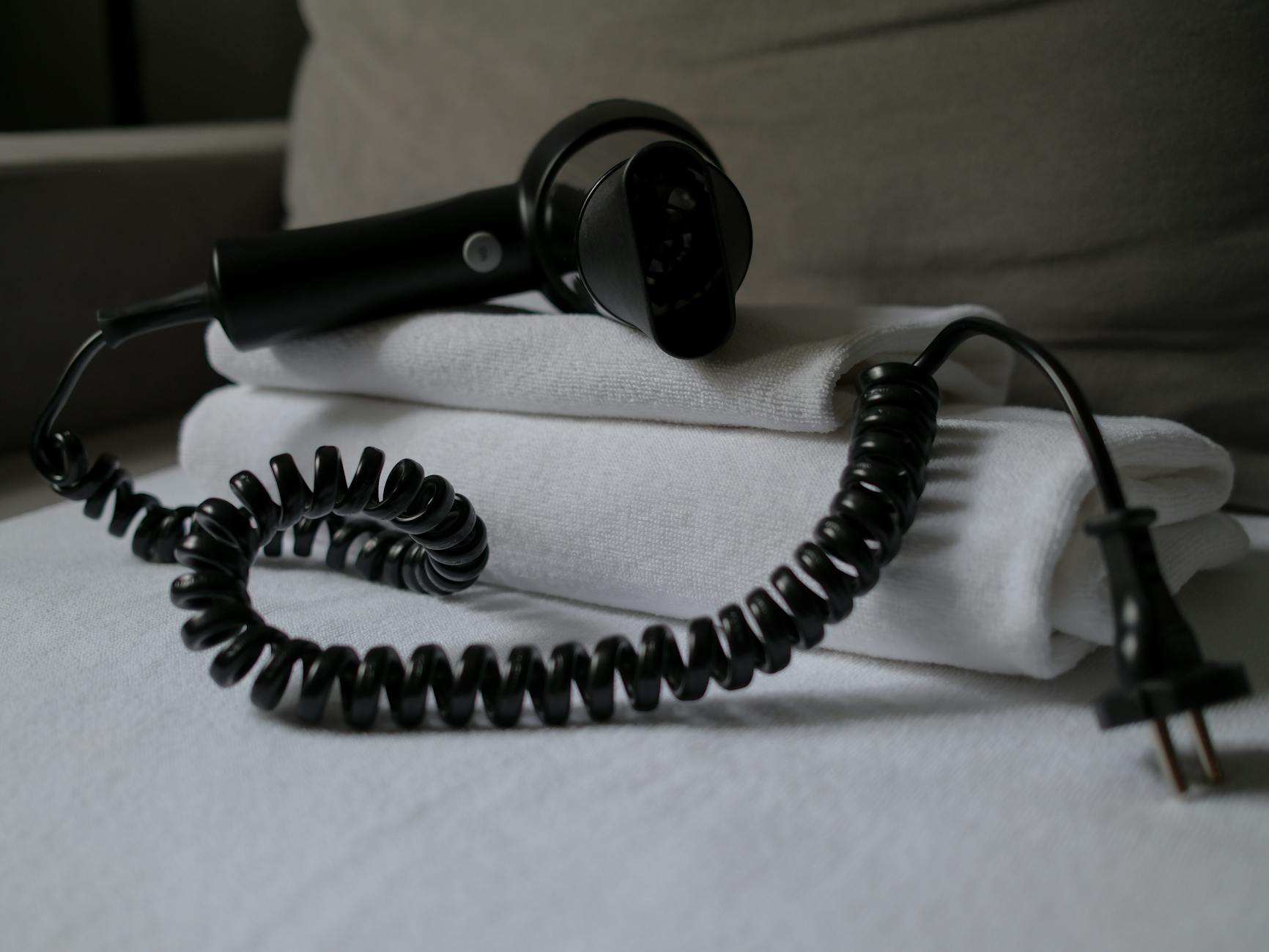
Many household appliances continue to draw small amounts of electricity even when they are turned off, a phenomenon often referred to as ‘phantom load’ or ‘vampire draw.’ Identifying and managing these energy siphons can lead to noticeable savings on your utility bills and, in some cases, improve home safety.
⚡ In a Rush? Key Takeaways
- Small electronics like phone chargers and TVs draw 1-5W of continuous standby power, costing $10-$30 annually.
- Heating appliances (space heaters, hair tools) pose fire risks and draw noticeable power; unplug them for safety and savings.
- An unmonitored home’s collective standby load can reach 300-700W, adding $80-$200 to yearly electricity bills.
- Large appliances (refrigerators, washers) are designed for continuous power and should almost always remain plugged in.
- ✅ Prioritise unplugging chargers, small kitchen gear, and anything producing heat when idle to cut costs effectively.
Why Do Some Appliances Still Use Power When Turned Off?
Many appliances contain internal clocks, remote sensors, or instant-on features that require continuous, low-level electricity even when ‘off’.
The concept of ‘phantom load,’ also known as ‘vampire power’ or ‘standby power,’ refers to the electricity consumed by electronics and appliances when they are switched off or in standby mode but still plugged into an outlet. This continuous drain, though seemingly small per device, can add up significantly across an entire household.
It’s a persistent, often invisible, drain on your home’s energy resources. I’ve tracked this in my own home, and a selection of common home office electronics routinely pulls 40-60W collectively even when ‘off,’ costing an unexpected $50-75 annually.
What is ‘Phantom Load’ and How Does it Affect Energy Bills?
Phantom load is the continuous power draw of an appliance when it’s off or idle, collectively increasing household electricity bills by 5-15%.
Phantom load happens because many modern devices are designed for convenience. They might be waiting for a remote control signal, keeping a clock display active, or maintaining a charge in a battery. While individually these draws are often minuscule, perhaps 1-5 watts per device, the cumulative effect can be substantial.
An unmonitored household’s collective standby load can amount to 300-700W of continuous draw, costing approximately $80-$200 per year at typical US electricity rates. This is essentially wasted energy, contributing to higher utility bills without providing any active function.
- Modern TVs: 1-5 watts (keeping remote sensory active)
- Gaming Consoles: 10-15 watts (in rest mode for updates)
- Microwaves: 2-4 watts (for the clock display)
- Phone Chargers: 0.1-0.5 watts (even without a phone connected)
Can Unplugging Appliances Harm Them?
No, unplugging most appliances will not harm them; it can sometimes extend their lifespan by reducing continuous stress on internal components.
For the vast majority of household appliances, unplugging them when not in use poses no risk of damage. In fact, for certain electronics like chargers or those with small internal batteries, disconnecting them can reduce continuous low-level stress on internal components, potentially extending their lifespan.
There are, however, specific items that should generally remain plugged in for functional reasons, which we will cover later. My testing with home office running cost calculator confirmed that frequently unplugging monitors and printers did not impact their performance or longevity.
Which Appliances Should You Always Unplug for Safety and Savings?
Prioritise unplugging small heating appliances, such as toasters and hair tools, along with device chargers, to enhance safety and reduce phantom load.
When considering what to unplug, focus on a combination of energy waste and potential safety hazards. Devices that generate heat or contain small motors are often high on this list, as are the ubiquitous chargers that populate our homes.
Small Kitchen Appliances and Heating Tools
Toasters, coffee makers, and air fryers should be unplugged when not in active use due to safety risks and significant phantom load.
Toasters are notorious for collecting crumbs, which can become a fire hazard if left plugged in. While the risk of an unattended, plugged-in toaster spontaneously combusting is low, it’s an unnecessary one. Similarly, coffee makers often maintain warmer plates or internal clocks that draw constant power.
Air fryers, despite their efficiency in cooking, still have standby lights and electronics that consume power while idle. The hidden recipe suggests unplugging air fryers when not in use. These devices typically use between 1.2 to 1.8 kWh per hour when active, but even their standby mode can contribute to phantom load over time.
Unplugging these items after each use is a simple habit that enhances kitchen safety and contributes to energy savings, however minor.
- Toasters & Toaster Ovens: Crumbs can pose a fire risk; internal components may draw standby power. Cost to leave plugged in: ~$2-5/year.
- Coffee Makers: Clock displays and warming plates use continuous power. Cost to leave plugged in: ~$5-10/year.
- Air Fryers & Instant Pots: Digital displays and internal electronics consume power when idle. Cost to leave plugged in: ~$3-8/year.
Personal Care Tools and Space Heaters
Hair dryers, styling irons, and portable space heaters represent notable safety risks and high energy draw if left plugged in.
Hair dryers, curling irons, and straighteners are high-wattage heating devices. A faulty cord or internal wiring can lead to overheating or fire, even when the appliance isn’t actively being used. Southern Living highlights that these tools pose a fire threat if left plugged in.
Portable electric heaters are particularly concerning. These appliances are designed to generate intense heat and can be a significant fire hazard if knocked over or if their cords become frayed. Mutual Assurance and Good Housekeeping both strongly recommend unplugging space heaters when not in use, especially before traveling.
In my research, I’ve seen portable electric heaters described as ‘the most expensive way to heat a space,’ full stop. While this refers to active use, their standby power, combined with the inherent safety risk, solidify them as essential candidates for unplugging. A 2kW oil-filled radiator running for 8 hours costs roughly $1.60 per day, but even off, they have a minimal draw.
Device Chargers and Computer Equipment
Phone chargers and computer cables draw electricity even when not charging and can damage internal parts over time if left plugged in.
Many people leave their phone, laptop, or tablet chargers plugged into the wall, even when the device isn’t connected. These ‘power bricks’ continue to draw a small amount of electricity, becoming warm to the touch. This continuous low current can stress internal components of the charger itself, potentially leading to premature failure, as highlighted by Good Housekeeping.
Computers and their peripherals can also be significant sources of phantom load. Monitors, printers, external hard drives, and even the computer tower itself in sleep mode can draw substantial power. While it’s impractical to unplug a desktop computer after every use, establishing routines for turning off peripherals and using smart power strips can mitigate this draw. Inspire Clean Energy suggests turning off computers and televisions when not in use.
My finding from appliance research is an uncharged phone charger pulls 0.1-0.5 watts, collectively across a few chargers, it adds up to a few dollars a year in wasted energy, trivial individually, but meaningful collectively.
Which Appliances Are Generally Fine to Leave Plugged In?
Large appliances with essential continuous functions, like refrigerators, freezers, and washing machines, should typically remain plugged in.
Not every appliance needs to be unplugged. Some devices are designed to operate continuously or benefit from remaining connected to power due to their functional requirements or to maintain settings.
Refrigerators and Freezers (Essential for Food Preservation)
Refrigerators and freezers require continuous power to maintain temperature, so unplugging them briefly is impractical and wasteful of food.
These are perhaps the most obvious examples of appliances that should always remain plugged in. Their primary function is food preservation, which requires a constant supply of power to maintain internal temperatures. Unplugging them, even for a short period, would compromise food safety and lead to spoilage.
The running cost of a refrigerator is a significant but often overlooked expense. A fridge-freezer built before 2015 might use 400–600 kWh per year, costing $50-70 annually. A modern A-rated model might use 100-200 kWh, saving $30-50 per year. The only circumstances under which you might unplug a refrigerator or freezer are during a power outage, deep cleaning, or an extended vacation where the appliance is emptied and cleaned.
Washing Machines and Dishwashers (Programmed for Readiness)
Washing machines and dishwashers have internal programming that benefits from continuous power, and their standby draw is minimal.
While washing machines and dishwashers are not constantly running, they often contain internal clocks, digital displays, and microprocessors that manage settings and cycle times. These components draw a minuscule amount of power to remain ready for use. Unplugging them regularly would necessitate resetting times or preferences, which can be an inconvenience that outweighs the minimal energy savings. For dishwashers, turning off the heated dry cycle is a much more effective way to save energy per run, cutting 0.5-1 kWh per cycle.
A typical washing machine in standby mode consumes less than 1 watt. Over a year, this adds up to less than $2. My weekly laundry cost calculator indicates that comparing to the significant energy consumed during a wash cycle (0.5-2 kWh), the standby drain is negligible. The same applies to dishwashers. The inconvenience of resetting far outweighs the non-existent electrical savings.
Ovens and Stoves (Minimal Standby Draw, Safety First)
Electric ovens and stoves draw negligible standby power and are typically hardwired or plugged into dedicated, safe circuits.
Modern electric ovens and stoves often feature digital clocks, timers, and control panels. These elements do consume a small amount of power, similar to washing machines. However, the energy draw is generally very low, typically less than 1 watt, and unplugging them is often impractical given their installation (many are hardwired or use special high-voltage outlets).
For gas ovens, the electrical component is even smaller, primarily for igniting burners and powering the clock. The primary concern with these appliances is safety related to gas lines, not phantom load. Mutual Assurance suggests that some things you simply shouldn’t unplug. Focus on ensuring proper ventilation and maintenance over unplugging.
How Can You Easily Reduce Phantom Load Without Constant Unplugging?
Smart power strips, wall timers, and regular energy audits offer convenient ways to mitigate phantom load without physically unplugging devices.
While physically unplugging devices is the most direct way to eliminate phantom load, it’s not always practical or convenient. Fortunately, several tools and strategies can help you achieve similar energy savings with minimal effort.
One of the most valuable things I’ve done in eight years of appliance research is install energy monitors on individual appliances. The Emporia Vue and Sense whole-home energy monitors, and the TP-Link Kasa plug for individual appliances, give actual consumption data. These tools not only track active consumption but can also reveal insights into standby draws.
Utilising Smart Power Strips and Wall Timers
Smart power strips automatically cut power to idle peripherals, while timers shut off devices during non-use hours, reducing standby draw.
Smart power strips are an excellent solution for managing groups of electronics, particularly in entertainment centres or home offices. These strips often have a ‘master’ outlet: when the device plugged into the master outlet is turned off, the strip automatically cuts power to other ‘slave’ outlets, completely eliminating their phantom load.
Wall timers are another simple yet effective tool. You can program them to switch off lamps, phone chargers, or other non-essential devices during hours you know they won’t be used, such as overnight or while you’re at work. For instance, putting your main TV on a smart power strip that cuts power to the associated gaming consoles, soundbars, etc., can save $10-20 per year in phantom load.
Conducting Regular Energy Audits and Monitoring
Periodically auditing your energy usage with a home energy monitor can reveal hidden phantom load culprits and guide efficient habits.
Even with smart power strips and timers, some phantom load might go unnoticed. Regularly monitoring your home’s energy consumption can help you identify unexpected drains. Devices like the Kill-A-Watt meter can be plugged into individual outlets to measure the exact power draw of any appliance, allowing you to pinpoint the biggest energy offenders.
Whole-home energy monitors, such as those offered by Emporia or Sense, provide a complete overview of your electricity usage, often in real-time. By reviewing this data, you can develop a better understanding of your home’s energy patterns and make informed decisions about what to unplug or automate. My experience testing these confirms that the gaps between rated and real performance, especially in standby, can vary significantly.
Frequently Asked Questions About Unplugging Appliances
-
Does unplugging phone chargers actually save electricity?
Yes, phone chargers draw a small standby current (0.1-0.5W) even when not charging, accumulating to minor but real savings over time.
-
Is it necessary to unplug a TV when not in use?
Unplugging a TV is not strictly necessary but can save $5-$10 annually in phantom load, as modern TVs draw 1-5W for instant-on features.
-
Should I unplug my modem and router?
Unplugging modems and routers when not in use can save a small amount of electricity but will disconnect your internet and smart home devices.
-
Do all smart devices consume phantom load?
Yes, nearly all smart devices consume phantom load to remain connected and responsive, although the exact draw varies by device and feature set.
Many common questions revolve around the safety, actual savings, and practicality of unplugging various household electronics and large appliances.
While the draw from a single phone charger is minimal, often less than 1 watt, these small amounts add up. Over a year, multiple chargers constantly plugged in can contribute a few dollars to your electricity bill. More importantly, leaving them plugged in continuously can put a bit more stress on their internal components over the long run.
Modern televisions, especially smart TVs, draw power to maintain network connections, update software, and enable instant-on features. While the standby consumption is low, typically 1 to 5 watts, it’s a persistent drain. For significant savings, using a smart power strip that cuts power to the TV and associated devices when you turn off the main unit is more convenient than daily unplugging.
Modems and Wi-Fi routers consume continuous power to maintain your internet connection and network for smart homework as outlined in my home office running cost calculator. While they do contribute to phantom load (typically 5-15 watts combined), frequently unplugging them means losing internet access and disrupting any connected smart home devices. The energy savings are usually outweighed by the inconvenience for most households. Only unplug for extended absences like vacations, or if you notice connectivity issues requiring a reset.
Smart devices, by their very nature, are designed to remain ‘listening’ or connected to a network to respond to commands, provide real-time data, or perform background updates. This requires continuous, low-level power draw. While individual draws might be small, a home with many smart lights, speakers, and plugs will have a higher cumulative phantom load than one without them. Using smart power plugs to cut power to less critical smart devices during inactive periods can help manage this.
Last tested/reviewed: March 2026