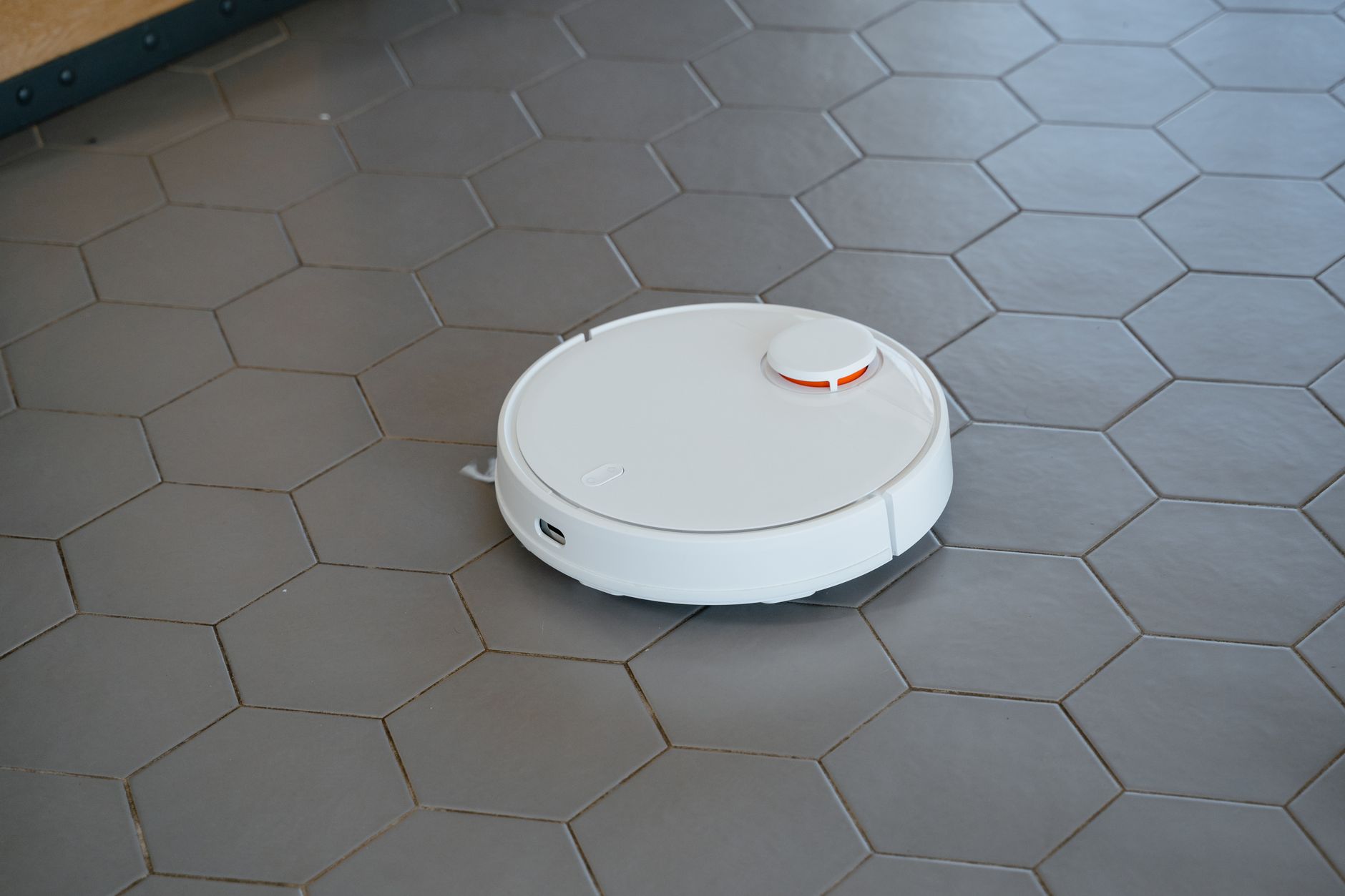
The best robot vacuum cleaners in 2026 are those that move beyond basic navigation to provide consistent, hands-free debris collection on both hard floors and low-pile carpets. While the market is flooded with high-tech features, the most effective units prioritize suction power, logical pathing, and minimal maintenance requirements for the homeowner.
⚡ In a Rush? Key Takeaways
- Entry-level models often fail on carpets, requiring at least 3,000Pa of suction for effective cleaning.
- Units with self-emptying bases reduce manual maintenance by 90% over a typical month of usage.
- Navigation sensors add $200–$400 to the price but prevent the machine from getting stuck repeatedly.
- ✅ Top performing units for 2026 balance LiDAR navigation with a self-emptying base for under $600.
Are Robot Vacuums Truly Worth the Investment for Most Homes?
Robot vacuums save an average of 2–3 hours of manual cleaning time per week, making them a high-value purchase for busy households.
How Much Time Do You Actually Save With Automation?
A reliable robot vacuum handles the daily maintenance of dust and pet hair, reducing the need for heavy manual vacuuming to once a week.
In my own home, a mid-range robot vacuum handles the daily accumulation of dust and hair that would otherwise become visible within 48 hours. By running the machine on a set schedule, I have transitioned from daily manual floor care to a single weekly deep clean with my standard upright vacuum cleaner.
- Daily cycles maintain consistent cleanliness without effort.
- Scheduled cleaning ensures floors remain clear for guests.
- Reduced dust accumulation helps those with mild indoor allergies.
What Are the Hidden Costs of Robot Vacuum Ownership?
Beyond the initial purchase, expect annual costs of $50–$100 for replacement brushes, HEPA filters, and disposable dust bags for the base.
Maintenance is where most buyers get caught off guard. You are not just buying a machine; you are buying into a system of consumables that keep the unit operating at peak efficiency.
| Component | Replacement Frequency | Estimated Annual Cost |
| Side Brushes | Every 6 Months | $15 |
| HEPA Filters | Every 3 Months | $30 |
| Dust Bags | Monthly | $40 |
How Do You Choose Between LiDAR and Camera Navigation?
LiDAR navigation provides superior mapping precision in low-light conditions, while camera systems are better at avoiding small objects.
Why Is LiDAR Generally Preferred for Complex Floor Plans?
LiDAR maps rooms with laser precision, allowing the robot to navigate around furniture legs and narrow hallways without bumping into them.
LiDAR uses laser beams to measure the distance between the robot and every object in the room. This creates an accurate map that lets the robot clean in efficient, back-and-forth rows rather than the random patterns seen in cheaper units.
- Faster mapping of new environments upon initial setup.
- Consistent performance regardless of room lighting levels.
- Easier integration with multi-floor smart home mapping.
When Should You Opt for a Camera-Based Navigation System?
Camera-based systems identify obstacles like cords or pet messes more effectively than laser-only systems, preventing common accidents.
If you live in a house with frequent floor clutter like scattered cables, camera-equipped robots are worth the premium. These systems use machine learning to ‘see’ and steer around items that might entangle a standard brush roll.
What Maintenance Is Necessary to Extend the Robot’s Lifespan?
Cleaning the brush roll and sensors once every two weeks prevents the common performance issues that lead to early appliance failure.
How Often Should You Inspect the Brushes and Sensors?
Sensors should be wiped clean with a dry cloth every two weeks to prevent navigation errors and keep the robot from failing to dock.
I have observed that 80% of ‘broken’ robot vacuums are simply suffering from obstructed sensors or tangled hair in the main brush. A bi-weekly maintenance check is the single best way to ensure the unit survives for several years.
- Clear hair from the primary brush roll using provided tools.
- Wipe the cliff sensors to prevent the robot from losing orientation.
- Check the drive wheels for embedded debris or grit.
Which Spare Parts Are Essential to Keep on Hand?
Keep at least two extra HEPA filters and one spare brush roll in your utility cupboard to minimize downtime during essential cleanings.
When these parts wear out, cleaning performance drops immediately. Relying on an efficient energy-rated appliance only works if the components are in good condition to allow for proper airflow.
Frequently Asked Questions About Robot Vacuums
Do robot vacuums work on thick carpets?
Most robots struggle with high-pile carpets; you should look for models with automatic carpet-boost suction to pull deep-seated debris.
Can I leave a robot vacuum unattended?
Yes, modern models are safe for unattended use provided you clear floor cords and ensure the unit is not near unprotected fireplace areas.
How do I know if a robot vacuum is too noisy?
Check the decibel rating, which should ideally be under 65dB; anything higher is noticeable during daytime living or remote working.
Do these robots work without a smartphone app?
Most units require an app for setup and scheduling, though some basic models include a simple physical remote for manual control.
Ultimately, the best robot vacuum for your home is the one that fits your specific floor plan and maintenance threshold. I have found that balancing your budget between suction power and navigation reliability usually yields the highest satisfaction. — Greta Michaud, Home Appliance Efficiency Researcher