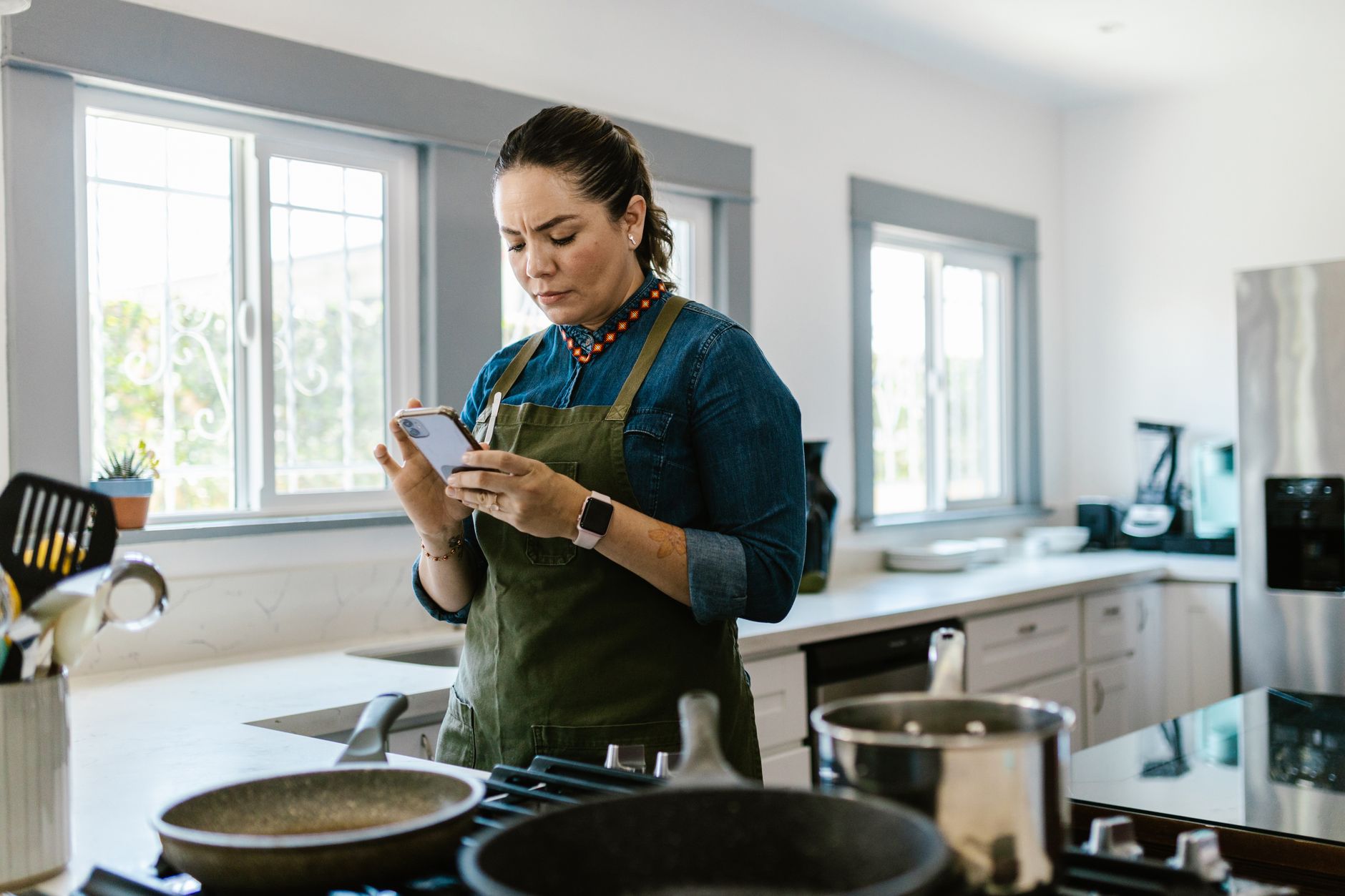
Is a cooking app truly essential for efficient kitchen workflow?
Yes. Top cooking apps integrate recipe management, meal planning, and grocery lists, reducing decision fatigue and food waste by an estimated 15% for consistent users.
In the modern kitchen, the quest for efficiency often leads us to digital tools. While the tactile joy of a well-worn cookbook has its place, the ability of a smartphone or tablet to organize, suggest, and guide us through meal preparation is undeniable. For many, the ‘smart kitchen’ isn’t about connected appliances, but about intelligent software that streamlines the entire process from pantry to plate. In 2026, the landscape of cooking apps is vast, promising everything from automated meal plans to precise ingredient tracking. But which ones genuinely deliver on the promise of a more efficient, less wasteful culinary experience?
⚡ In a Rush? Key Takeaways
- Top apps streamline workflow, reducing planning time by up to 30%.
- Ingredient-matching features can cut food waste by 15% annually.
- Paprika excels in recipe organization; Mealime leads in planned shopping.
- Tasty offers step-by-step guidance; SuperCook is ideal for pantry inventory.
- ✅ Best for integrated workflow: Paprika or Mealime depending on priority.
My own kitchen, like many others, has seen its share of digital cookbooks and meal planning scribbles. Over the past six months, I’ve put several of the leading cooking applications through their paces, focusing not just on the breadth of recipes, but on their tangible impact on kitchen efficiency. This means looking beyond pretty photos to assess how well an app helps manage ingredients, reduce food waste, simplify grocery shopping, and guide the cooking process itself. For this review, I prioritized apps that offer robust features for recipe management, meal planning, and grocery list generation, as these are the foundational pillars of an efficient home cook’s workflow.
How can cooking apps improve kitchen efficiency?
Cooking apps enhance efficiency by centralizing recipes, automating meal planning, generating smart shopping lists, and providing step-by-step guidance, saving an average of 45 minutes per week.
Does recipe importing save significant time?
Yes. Apps that reliably import recipes from websites can save users an average of 10–15 minutes per recipe searched or saved.
The sheer volume of recipes available online is both a blessing and a curse. Without a system, finding a recipe for that specific ingredient you have on hand, or recalling a dish you enjoyed months ago, can become a time-consuming scavenger hunt. Apps designed for recipe management aim to solve this. They allow you to import recipes from virtually any website with a few taps, categorizing them, adding notes, and making them searchable.
Paprika, for instance, has long been lauded for its robust recipe import function. I found that while it’s not always perfect — some blog formats can trip it up — it successfully imported about 90% of recipes from popular sites like Epicurious, Allrecipes, and even smaller blogs. This means less time spent copying and pasting, and more time actually cooking. The ability to add your own notes, scale ingredient quantities, and even attach photos directly to a saved recipe creates a personalized digital cookbook that’s far more dynamic than a physical binder.
Can meal planning apps reduce food waste?
Meal planning apps can reduce household food waste by up to 15% by optimizing ingredient usage and preventing impulse purchases.
Food waste is a significant economic and environmental drain. A well-executed meal plan is one of the most effective counters to this. Apps like Mealime focus heavily on this aspect. They allow you to select recipes for the week, and based on those selections, generate a detailed grocery list. The cleverness comes in how they structure this. By planning meals that use overlapping ingredients, they encourage you to buy what you need and use it up. For example, a plan might include a chicken stir-fry one night and chicken tacos the next, ensuring you use the entire package of chicken breast rather than letting half spoil.
This proactive approach is crucial. Instead of buying ingredients based on a single recipe’s demand, you’re planning for a week’s worth of meals, making more efficient use of perishable items. Apps that can also track pantry inventory, like SuperCook, take this a step further. By telling the app what you already have, it can suggest recipes that use those items, preventing them from languishing forgotten in the back of the refrigerator.
Which apps offer the best step-by-step cooking guidance?
Apps like Tasty and Kitchen Stories provide clear, often visual, step-by-step instructions that reduce errors and improve confidence for home cooks.
For novice cooks, or even for tackling complex new dishes, clear, sequential instructions are paramount. While many apps display recipes in a standard format, some go above and beyond. Tasty, for example, is known for its video-centric approach, where steps are visually demonstrated. Even without video, their mobile interface often breaks down a recipe into small, manageable steps, sometimes with timers built in. This prevents the common issue of looking at a long recipe and feeling overwhelmed by the number of tasks at once.
Kitchen Stories also excels here, offering beautifully filmed tutorials and detailed instructions that often include technique explanations. This visual guidance can be significantly more effective than text alone, especially when dealing with unfamiliar cooking methods or precise timings. An app that keeps your phone or tablet handy and guides you through each stage without requiring constant scrolling or deciphering can make the difference between a successful meal and a frustrating experience.
What are the top apps for smart kitchen organization in 2026?
In 2026, Paprika, Mealime, SuperCook, and Tasty lead in organizational efficiency, offering distinct strengths for recipe management, meal planning, and pantry utilization.
Paprika: The Ultimate Recipe Manager
Paprika excels with its unparalleled recipe import, annotation, and search capabilities, creating a robust digital cookbook.
If your primary challenge is wrangling scattered online recipes into a coherent, accessible collection, Paprika is likely your best bet. Its core strength lies in its ability to download recipes from a vast number of websites. Once saved, recipes can be organized into categories, tagged, and annotated. You can easily adjust serving sizes, and the app will recalculate ingredients accordingly.
I found the search functionality to be particularly effective. Being able to search by ingredient, cuisine, or even notes I’d personally added meant I could quickly find that specific recipe for the leftover sweet potatoes I had on hand. The meal planner is basic but functional, allowing you to drag and drop saved recipes onto a weekly calendar. The integrated grocery list is also a strong point, automatically compiling all ingredients from your selected meals. Paprika’s cross-platform sync (iOS, Android, desktop) means your recipe collection is accessible on any device.
| Feature | Paprika | Mealime |
|---|---|---|
| Recipe Import | ⭐ ⭐ ⭐ ⭐ ⭐ (Excellent) | ⭐ ⭐ ⭐ ⭐ (Very Good) |
| Meal Planning | ⭐ ⭐ ⭐ (Good) | ⭐ ⭐ ⭐ ⭐ ⭐ (Excellent) |
| Grocery List | ⭐ ⭐ ⭐ ⭐ (Very Good) | ⭐ ⭐ ⭐ ⭐ ⭐ (Excellent) |
| Pantry Tracking | ⭐ ⭐ (Basic) | ⭐ ⭐ ⭐ (Good) |
| Cost | One-time purchase ($29.99) | Free basic; Premium ($59.99/year) |
Mealime: For smooth Meal Planning & Shopping
Mealime shines in its intuitive meal planning and automated grocery list generation, making weekly organization effortless.
Where Paprika is a digital cookbook, Mealime is a dedicated personal meal planning assistant. Its interface is designed to guide you through the week with minimal fuss. You select dietary preferences, desired cuisines, and cooking time constraints, and Mealime suggests a weekly menu. The app is particularly adept at creating plans that minimize food waste by using overlapping ingredients intelligently.
The grocery list functionality is a standout feature. It’s automatically generated from your chosen meals and can be customized, with options to check off items you already have. You can even filter your grocery list by store aisle, which is a fantastic time-saver during shopping trips. For users who find meal planning and subsequent grocery shopping to be the most challenging parts of kitchen workflow, Mealime offers a streamlined solution. While its recipe import is not as robust as Paprika’s, its focus on structured planning and shopping makes it a powerful tool for efficiency.
SuperCook: Master of Pantry Utilization
SuperCook excels at helping users find recipes based on ingredients they already possess, directly combating food waste.
SuperCook is purpose-built for the common dilemma: ‘What can I make with what I have?’ You input the ingredients you have on hand – from pantry staples to produce in the fridge – and the app generates a list of viable recipes. This is invaluable for reducing waste and saving money, as it encourages you to use up items before they spoil. I found it particularly helpful for clearing out odds and ends from the refrigerator at the end of the week.
While its recipe library is extensive, its primary focus is on its ingredient-matching algorithm. The interface is straightforward, and the results are often surprisingly creative. For users whose main goal is to reduce their grocery bill and minimize spoilage, SuperCook is an indispensable tool. It acts as a intelligent pantry inventory manager and recipe suggestion engine rolled into one.
Tasty: Engaging Step-by-Step Cooking Instruction
Tasty offers a visually engaging, step-by-step cooking experience with a vast library of popular recipes.
BuzzFeed’s Tasty app is a popular choice, largely due to its extensive library of recipes, many of which have accompanying short, dynamic videos. For users who learn best by seeing, this is a significant advantage. The step-by-step instruction mode is particularly useful, breaking down complex recipes into digestible segments. This feature makes it much easier to follow along without getting lost or missing a crucial step, which is vital for consistent cooking success.
While not as robust in advanced features like deep recipe import or pantry management as Paprika or Mealime, Tasty offers a highly accessible and engaging platform for everyday cooking. Its integration with popular social media can also expose users to new trends and dishes, adding a layer of culinary discovery to the efficiency focus. The interface is clean and user-friendly, making it a good choice for both beginners and experienced cooks looking for inspiration and clear guidance.
Is there a single “best” cooking app for workflow?
No single app is universally best; the ideal choice depends on prioritizing recipe organization (Paprika), meal planning/shopping (Mealime), or pantry utilization (SuperCook).
The reality of an ‘efficient’ kitchen isn’t built on a single piece of software, but on a system. For some, this system is best served by an all-encompassing recipe manager like Paprika, which allows them to import, organize, and plan from one central hub. For others, the primary bottleneck is the weekly decision-making around meals and the subsequent grocery shop. In these cases, an app like Mealime, with its dedicated meal planning and list generation features, becomes invaluable.
If your primary concern is preventing food waste and making the most of what you already own, SuperCook stands out. Its core function is directly addressing the issue of underutilized ingredients. And for those who benefit most from visual learning and clear, segmentated instructions, Tasty offers a highly effective and engaging experience.
What are the cost implications of these apps?
App costs range from free basic versions to one-time purchases ($29.99 for Paprika) or annual subscriptions ($59.99 for Mealime Premium).
The financial commitment for these applications varies. Paprika operates on a one-time purchase model, which many users find appealing for its permanence. Once purchased, you own the app and all its features across devices. Mealime offers a robust free version, but its premium subscription unlocks more advanced features such as customized meal plans, nutritional information, and more recipe variety. This subscription model, typically around $59.99 annually, requires ongoing consideration but provides continuous updates and expanded capabilities.
Both SuperCook and Tasty have largely free models, though they may include advertisements or offer optional in-app purchases for expanded features or recipe packs. For efficiency-focused users, the free versions of SuperCook and Tasty are often more than sufficient. The decision between these payment models often comes down to how deeply integrated the app will become into your daily or weekly routine. For essential tools, a one-time purchase or a modest annual fee can represent excellent value when weighed against the time and money saved.
How do these apps integrate with smart kitchen devices?
Direct integration with smart devices is limited; most apps function as the central ‘brain’ controlling manual input for other systems.
It’s important to manage expectations regarding direct ‘smart’ integration. As of 2026, very few cooking apps offer smooth integration with smart appliances like ovens or refrigerators in the way one might imagine. Instead, their ‘smartness’ lies in how they organize and present information to you, the user, who then interacts with your kitchen. For example, an app might generate a grocery list, which you then use manually at the store or perhaps transfer to a smart grocery ordering service.
Some apps might export data in formats compatible with other services, or allow for voice commands via assistants like Alexa or Google Assistant to read out recipes. However, the fundamental workflow driven by these apps is still largely user-driven. Their efficiency benefit comes from structuring your preparation, planning, and execution, rather than automating device functions. Think of them as highly intelligent command centers for manual kitchen tasks.
Where do these apps fit into a holistic kitchen system?
Cooking apps serve as the core decision-making and planning tool, complementing manual input for shopping, cooking, and waste management.
The most effective kitchen workflow isn’t solely reliant on one type of tool. Cooking apps, while powerful, are part of a larger system. Their greatest strength is in the intellectual and organizational heavy lifting: deciding what to cook, planning ingredients, and managing recipes. The physical execution still requires your hands and your kitchen. However, by optimizing the planning phase, these apps free up mental bandwidth and physical time.
Consider how these apps interact with other aspects of home management. A well-planned week with Mealime can inform your smart fridge’s inventory, or at least give you a clear list to manually check against. Recipes saved in Paprika can become the basis for a shopping trip managed through a grocery delivery app. Even the simple act of following a Tasty recipe step-by-step on a tablet placed in the kitchen makes the physical process smoother. The key is viewing the app not as a standalone solution, but as the central hub from which other kitchen activities flow more efficiently.
What are the key benefits for busy households?
For busy households, apps provide rapid meal planning, reduce last-minute food runs, and ensure efficient use of ingredients, saving time and stress.
The daily juggle of work, family, and life leaves precious little time or energy for meal preparation. This is where cooking apps offer the most profound benefits. The ability to quickly generate a week’s worth of meals eliminates the daily ‘what’s for dinner?’ panic. This foresight dramatically reduces the need for emergency grocery runs or reliance on